Documents: structure and assembly
A document has a visible page and a structure underneath it: styles, numbering, fields, tracked changes, file properties. The structure decides how the document behaves after an edit. It also lets an assistant or a program assemble the same contract as Word, PDF or a web page from one set of data in seconds. The look and the calculations will be the same in every format; whether the data and the terms themselves are right is not checked by this. The example here is a contract, but a report, a policy, a budget or a commercial proposal works the same way: any document that is edited several times and sent out.
What lies under the page
A Word document has text, formatting and structure. A style sets the look of all paragraphs of one kind. A list counts clause numbers. A field shows a value Word takes from another place in the document, such as a clause number in a cross-reference. Two documents can look the same and behave differently after the first edit.
The file also carries things you do not see on the page: tracked changes, comments, the author and date in its properties. Before a document goes out, these parts are reviewed separately.
Film. Two contracts that look the same. Under the page their structure differs, and it shows when you change the heading style or insert a new clause. The last shots show what travels with the file.
Two identical contracts
On the left, numbers and references are typed by hand and headings are formatted one by one. On the right, a list counts the numbers, the reference is a field, and headings have a style. Make the same edit in both and look at the result under each.
More: four habits and a check before sending
| Instead of | Use | What it gives you |
|---|---|---|
| direct formatting | a style | one change to the style changes every heading; the table of contents and navigation are built from them |
| typed numbers | automatic numbering | inserting a clause renumbers the rest |
| “see cl. 4.2” as text | a cross-reference | after an update the field shows the current number |
| empty paragraphs | a page or section break | text does not shift after the first edit above it |
Before a document goes out:
- Accept or reject all tracked changes. Delete comments.
- Update fields (Ctrl+A, F9) and check by eye that references lead to the right clauses.
- Check the file properties with the Document Inspector: author, hidden changes, comments.
- Save the version you sent as a separate file with the date or a number in its name.
A document from data
Once a document has structure, it can be assembled instead of typed: a template sets the text and the look, and the variable values come from data. Generators of contracts, invoices, certificates and mail merges work this way, and an assistant assembles a document the same way when you give it data and a template. Amounts, VAT, the advance payment and the amounts in words are calculated in such a document, not typed, so no typing errors arise between them. If the source value itself or a formula in the template is wrong, the mistake will still repeat everywhere.
Below is one set of data assembled into four formats in a few seconds: a Word file, a PDF that looks like an ordinary contract, a PDF typeset with LaTeX, and a web page. A mistake in the data gets into all four. A typing error, where the amount in figures differs from the amount in words, does not arise in them.
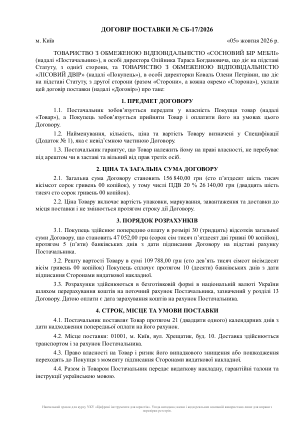
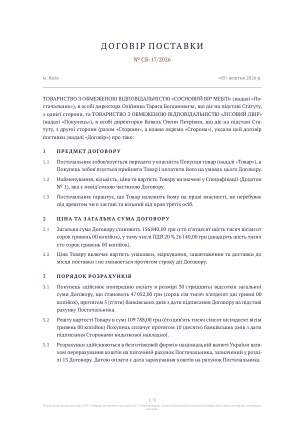
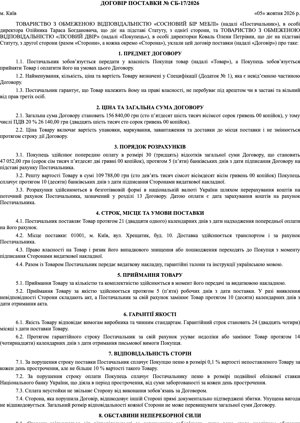
The data all four were assembled from
An excerpt from dohovir.json. Nobody enters the “totals” fields: the program calculates them from the line items.
More: how to ask an assistant to assemble a document
An assistant assembles a document well when it gets three things separately: the data (field values, preferably as a table or JSON), the template (the text of the clauses or a sample document) and the rules (which fields are calculated, how to write amounts in words, which file format to produce). Assistants that can run code create a real Word or PDF file, not just text in the chat.
Check an assembled document like any other: field values against the data, derived amounts by recalculating them, structure (styles, automatic numbering, fields) by opening it in Word. If something in the document is wrong, fix the data or the template and assemble it again, rather than editing the finished file by hand.
A detailed breakdown of a contract into fields, derived values and checks: Contract as data.
Check yourself
Practice
- Fix a contract in WordOpen the lease agreement with defects: manual numbering, headings without styles, empty paragraphs, references to clauses that do not exist, someone else's metadata. Fix the structure and fill in the fix card. The full exercise: in the Toolkit (in Ukrainian).
- Assemble a document from dataGive an assistant dohovir.json and ask it to assemble the supply agreement as a Word file with heading styles and automatic clause numbering. Check: the amounts match the data, the amounts in words match the figures, and after you insert a new clause the numbering recounts.
- Change the data, not the documentChange the quantity of one item in the data and ask for the document to be assembled again. Count in how many places in the contract the numbers changed. How many of them would you have missed editing by hand?
What to take away
- A document's structure decides how it behaves after an edit.
- Style, list and field instead of direct formatting, typed numbers and typed references.
- Before sending, look at what travels with the file.
- A document with structure can be assembled from data. Derived values are then calculated by the program, not by a person.
Part 2: the deal file
Five documents of one international deal before signing. Each looks fine on its own; the task is to check whether they all say the same thing. Documents · part 2: The deal file.